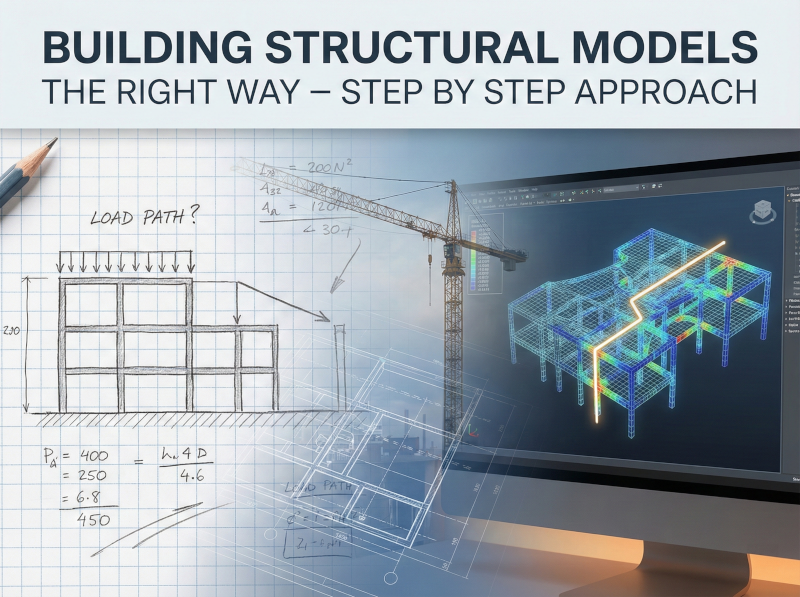
You’ve got a complex structure on your desk, a looming deadline, and powerful analysis software at your fingertips. The temptation? Import the CAD geometry, auto-mesh everything, hit run, and let the computer do the heavy lifting.
Here’s the problem: that approach has led to some spectacularly wrong answers—and in a few cases, to structures that didn’t perform as expected in the field.
This post walks through a systematic approach to structural modeling that experienced engineers use—whether they’re working on a simple frame or a complex shell structure.
Why Your Fancy Model Might Be Failing You
Modern software can handle thousands of elements without breaking a sweat. You can model every beam, every connection, every bolt hole if you want. But here’s what those colourful stress contours won’t tell you: whether your model actually represents how the structure carries load.
An effective structural model does three things well:
Accurately represents the primary load path. If loads don’t flow through your model the way they’ll flow through the real structure, nothing else matters.
Provides sufficiently accurate results for design. Not exact results—sufficiently accurate. Civil structures don’t fail because of a 5% discrepancy in calculated stress. They fail because someone missed the critical element in the load path entirely.
Gives you insight into structural behaviour. Good design never comes from blindly reading stress output. It comes from understanding how the structure works.
Key Takeaway: A structure has never collapsed because design stresses were 5-10% off. Structures fail because critical load path elements weren’t recognized in the first place.
Step 1: Understand the Structural Form Before You Model It
Before you open any software, you need to answer a fundamental question: How does this structure carry load?
If you’re analyzing a shell structure, you’d better understand shell theory. If it’s a frame with shear walls, you need to know whether flexure or shear dominates the response. This isn’t academic—it determines what kind of elements you need, where to refine your mesh, and what results to check.
Consider a cylindrical silo under internal pressure. Away from the supports, it’s essentially pure membrane behaviour—hoop tension with no bending. Near the base, where fixity creates restraint, you’ll see significant bending that dies out within a characteristic “decay length.”
If you don’t understand this going in, you’ll either:
- Use shell elements where membrane elements would suffice (wasting effort)
- Miss the critical stress gradients near the base entirely (dangerous)
- Mesh uniformly when you should be refining locally (inefficient and potentially inaccurate)
When you encounter an unfamiliar structural form, spend time with the theory before modeling. A few hours with a good reference beats days of debugging a model that’s fundamentally wrong.
Step 2: Identify the Load Path—All of It
Every load applied to your structure needs a path to the ground. Your model needs to capture that path, or you’re not modeling reality.
For gravity loads in a building, this is usually straightforward: slab to beam to column to foundation. But what about lateral loads? How do forces transfer through floor diaphragms? Are your connections stiff enough to develop the moment resistance you’re assuming?
The load path question becomes critical when you’re dealing with:
- Lateral force-resisting systems where diaphragm action transfers loads to shear walls or frames
- Transfer structures where loads change direction or skip members (often requiring checks for shear deformation in deep members)
- Complex connections where forces must pass between different structural systems
Sketch the load path by hand before you build the model. If you can’t trace how gravity and lateral loads get to the foundation on paper, your computer model won’t figure it out for you.
Common Mistake: Modeling a diaphragm as rigid without checking whether that assumption is valid. Flexible diaphragms distribute loads very differently than rigid ones.
Step 3: Get Your Boundary Conditions Right
Boundary conditions might be the most consequential assumptions you’ll make. The difference between a fixed base and a pinned base can completely change your frame’s behaviour—moment distribution, lateral stiffness, drift, everything.
Here’s the uncomfortable truth: real boundary conditions are almost never perfectly fixed or perfectly pinned. That column base you’re modeling as fixed? It has some rotation capacity. That foundation you’re treating as rigid? It has some flexibility.
The question isn’t whether your boundary conditions are exact. The question is whether they’re close enough to give you reasonable results, and whether you understand how sensitive your answers are to those assumptions.
Practical guidance:
- Column bases: Unless you have a massive pedestal with significant embedment, “fixed” is probably optimistic. Consider running cases with different fixity assumptions.
- Foundation stiffness: For spread footings on competent soil, you can often assume rigid for gravity loads. For lateral analysis of taller structures, foundation flexibility can matter.
- Connections: If your frame analysis assumes rigid beam-column connections, make sure your connection design can actually deliver that rigidity.
Pro-Tip: Run your model with different boundary condition assumptions. If results are highly sensitive to that choice, you need to either refine your assumption or design conservatively for both cases.
Step 4: Know Your Model’s Underlying Assumptions
Every analysis method comes with assumptions baked in. Classical beam theory assumes plane sections remain plane. Shell elements assume certain thickness-to-span ratios. The stiffness method assumes linear-elastic behaviour.
When you use analysis software, you inherit these assumptions whether you think about them or not. Problems arise when reality violates your assumptions and you don’t notice.
Common assumption pitfalls:
Geometric simplification without consistent loading: If you simplify a circular cross-section to a polygon (say, for easier meshing), you need to simplify your loads the same way. Applying radial pressure to a polygonal section creates artificial bending moments at every corner—moments that don’t exist in the real circular section.
Element type mismatch: Using shell elements when membrane elements would suffice isn’t just inefficient—it can introduce spurious bending stresses. Conversely, using membrane elements when bending is significant will miss real stresses entirely.
Ignoring second-order effects: For slender structures under significant axial load, P-delta effects can substantially increase moments. Linear analysis won’t capture this.
Document your assumptions explicitly. When you hand off a model or return to it months later, you need to know what simplifications you made and why.
Step 5: Build Incrementally and Validate Continuously
This is where the real craft of modeling comes in. Instead of building your final model all at once, build it in stages—each stage validated against your engineering judgment.
Start with hand calculations. For a simple frame, you can estimate base shears and overturning moments with a free-body diagram. For a continuous beam, you can sketch approximate moment diagrams. These become your reality check.
Then build the simplest computer model that captures essential behaviour. For a multi-storey building, this might be a stick model with lumped masses. For a shear wall building, it might be a 2D analysis of a representative wall line.
Add complexity only when needed. As you refine the model—adding 3D effects, diaphragm flexibility, foundation springs—each addition should make physical sense. If adding a feature dramatically changes your results, you need to understand why.
Check results at every stage. Can you explain why moments increased when you added that element? Does the deflected shape make physical sense? Are reactions in equilibrium with applied loads?
Key Takeaway: The best models are built organically from simpler ones. When something changes unexpectedly, you can trace the cause because you’ve added one thing at a time.

Sensitivity Analysis: Your Safety Net
Running a single analysis gives you a single answer. Sensitivity analysis tells you how much to trust that answer.
At minimum, investigate sensitivity to:
- Boundary conditions: What if that base isn’t as fixed as you assumed?
- Member stiffness: What if concrete cracks more than you expected? (Crucial for satisfying CSA A23.3 stiffness requirements).
- Connection rigidity: What if that moment connection has some rotation?
- Load distribution: What if the actual load pattern differs from your assumption?
If your design is sensitive to any of these—meaning small changes in input cause large changes in output—you have two options: refine your input (get better information) or design conservatively for the range of possible outcomes.
Sensitivity analysis also validates your model. A well-behaved model should respond proportionally to reasonable changes in input. If changing foundation stiffness by 20% causes forces to jump by 200%, something is wrong—either with your model or with your understanding of the structure.
When reviewing someone else’s model, ask to see their sensitivity studies. If they haven’t done any, that’s a red flag.
Documentation: Because You’ll Forget
Six months from now, you won’t remember why you modeled that connection as pinned or why you used a 200mm mesh in one area and 500mm in another. Your documentation needs to capture not just what you modeled, but why.
Essential documentation includes:
- Sketches of the model concept showing member types, boundary conditions, and load paths
- List of assumptions with justification for each
- Material and section properties with sources
- Validation checks showing comparison with hand calculations or simpler models
- Sensitivity study results with conclusions about model robustness
This isn’t overhead. It’s how you (and reviewers) verify that the model is appropriate for its intended purpose. It’s also how you avoid repeating mistakes when the project comes back for modifications.
Pro-Tip: Include a “model limitations” section that explicitly states what the model doesn’t capture. This prevents misuse and shows you’ve thought carefully about scope.
What Separates Effective Models from Dangerous Ones
After all this, what distinguishes an effective structural model?
It’s not element count. You can have 50,000 elements and still be wrong if you’ve missed the primary load path.
It’s not visual polish. Beautiful renderings mean nothing if boundary conditions are unrealistic.
It’s not software sophistication. A hand calculation that captures real behaviour beats a fancy FEA model that doesn’t.
An effective model:
- Represents how the structure actually carries load
- Uses assumptions consistent with reality (or conservative approximations)
- Can be validated against simpler methods and engineering judgment
- Is documented well enough to be checked and understood
- Gives you insight, not just numbers
Putting It Into Practice
Next time you face a modeling task, try this approach:
Sketch first. Draw the structure, mark the load paths, note your boundary condition assumptions. If you can’t do this on paper, you’re not ready for the computer.
Estimate key results by hand. Even rough approximations give you something to check against.
Build the simplest model that captures essential behaviour. Validate it against your hand calculations.
Add complexity incrementally. Understand what each addition changes and why.
Run sensitivity studies. Know which inputs your design depends on most.
Document everything. Your future self (and your reviewer) will thank you.
The goal of structural modeling isn’t to produce impressive output. It’s to understand how your structure behaves well enough to design it safely. Start simple, build systematically, check continuously, and never trust a result you couldn’t have estimated first.
What’s the most surprising thing you’ve learned from a sensitivity analysis? Share your experience—these lessons tend to stick better when we learn from each other’s models gone sideways.